

Stats that are fair to every position. Reports parents actually understand.
Your libero doesn't hit. Your middle doesn't pass. SpikeLedger grades every player on the job they are actually on the court to do, then turns the numbers into a report card you can drop in the team chat on the drive home.
1 team, 3 tournaments, the whole Bank Account system. No credit card, no trial clock.
- Passes rated 2 or 3
- +19
- Aces
- +3
- Serve errors
- -4
- Passes rated 0
- -4
- Two taps per rallyThe player, then what happened.
- Keeps recording offlineSaves on the phone, sends later.
- Position-fairLiberos graded as liberos.
- Report cardsPhone-sized images for the team chat.
From the scorer's table to the team chat, without the spreadsheet in between.
Most of us have run the same routine: tally marks on a clipboard, a spreadsheet on Sunday night, then a paragraph per kid that nobody reads. SpikeLedger is that routine with the middle taken out.
- 01
Courtside, during the match
Tap the player, tap what happened. The score, the serve, the rotation and the libero move by themselves after every point. Only the buttons that player could use are on. Undo takes back the whole point.
- 02
The Bank Account does the math
Every action becomes a deposit or a withdrawal, scored against what that position is on the court to do. A libero's 2-pass is a deposit. A hitter's is just part of the job.
- 03
Report cards in the chat that night
Phone-sized images per player: overview, numbers, what to work on, bank account, breakdown, and an optional team comparison. Download them and drop them in the team chat.

Every tap is a deposit or a withdrawal.
A kill goes in the bank. A serve error comes out. What is left is one balance that tells you what a player is adding to the team win, scored against what that position is on the court to do.
- Kills, blocks and aces are deposits for everyone.
- Serve errors and ball-handling errors are withdrawals for everyone.
- A rating from Strong contribution to Focus area, set by the deposit ratio, not by who the coach likes.
A libero doesn't hit. The scoring should know that.
Raw totals punish defensive players and flatter big hitters. The Bank Account fixes that by changing what counts, position by position. Same tap courtside, different rules in the ledger.
- Attack and net errors never count against a libero. Passing does, and a good pass is a deposit.
- Works for every age group, from 12U teams with no set positions to 18U teams with specialised ones. Create a team without positions and everyone is scored on the same all-around formula.
| Action | Libero / DS | Outside / Right side | Setter / Middle |
|---|---|---|---|
| Pass rated 3 (perfect) | Deposit | Deposit | Doesn't count |
| Pass rated 2 (good) | Deposit | Baseline | Doesn't count |
| Pass rated 0 (shank) | Withdrawal | Withdrawal | Doesn't count |
| Kill, block or ace | Deposit | Deposit | Deposit |
| Attack error | Doesn't count | Withdrawal | Withdrawal |
| Net touch on a block | Doesn't count | Withdrawal | Withdrawal |
| Serve error | Withdrawal | Withdrawal | Withdrawal |
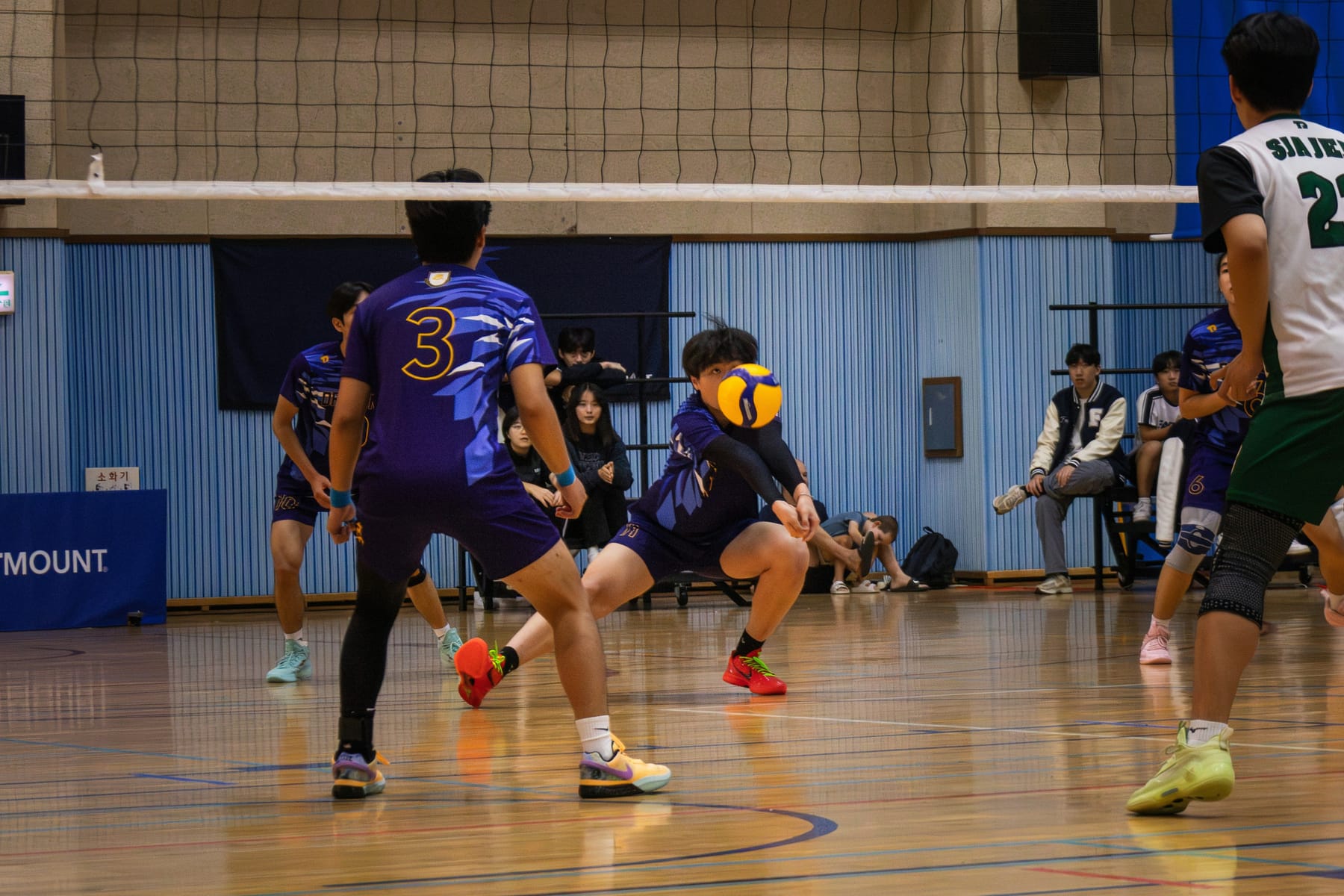
Built for a phone in a loud gym and a laptop on Sunday night.
No app store. It runs in the browser on whatever you already carry to the gym, and adds to your home screen in two taps.
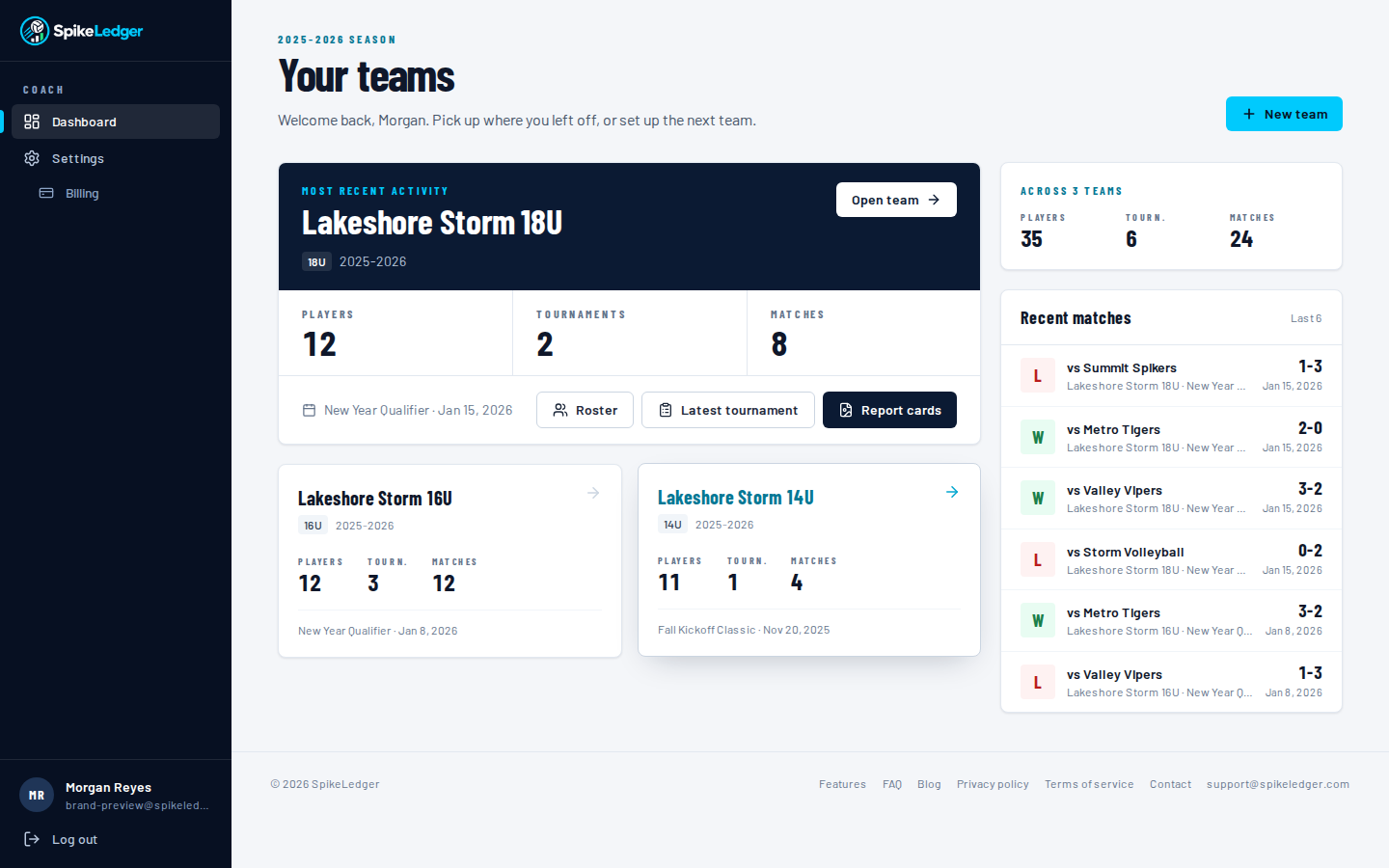
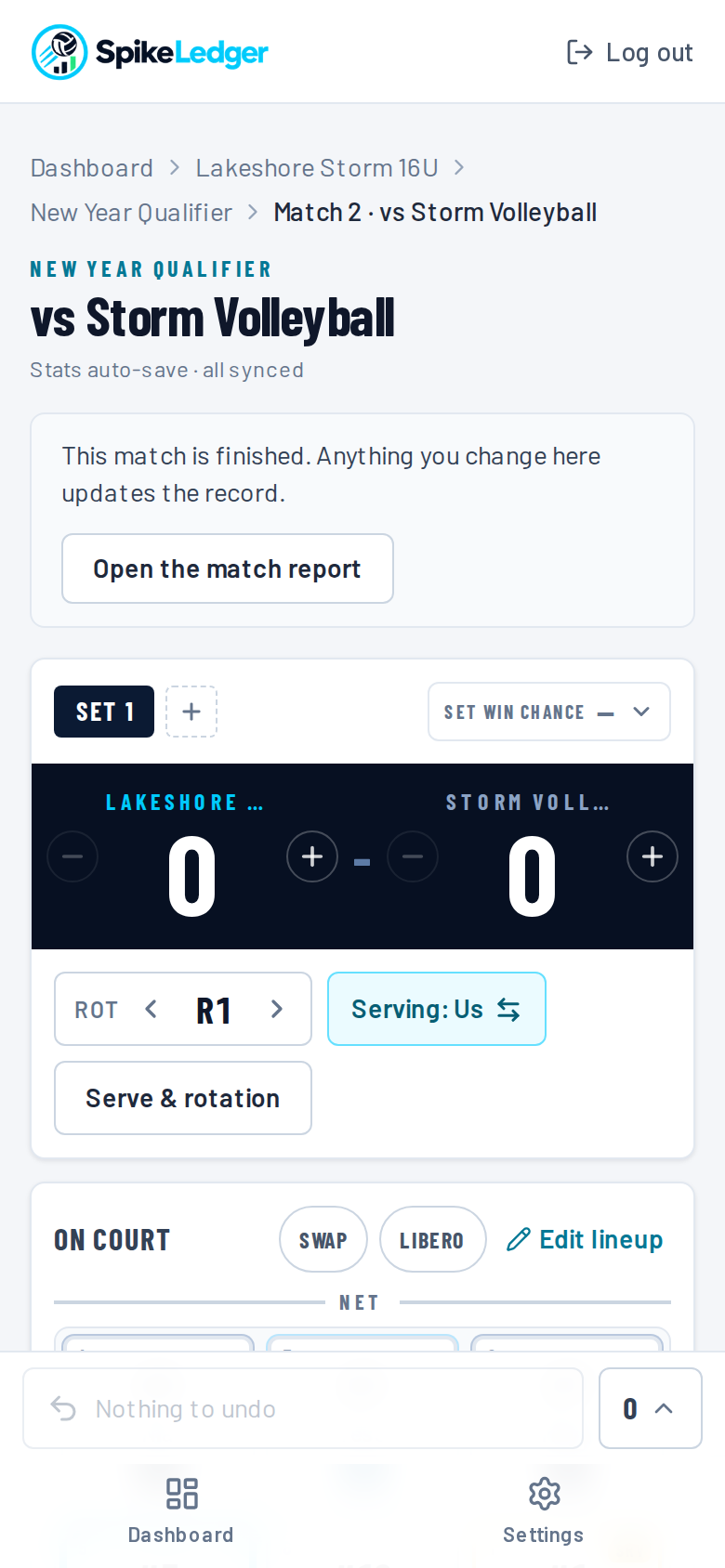
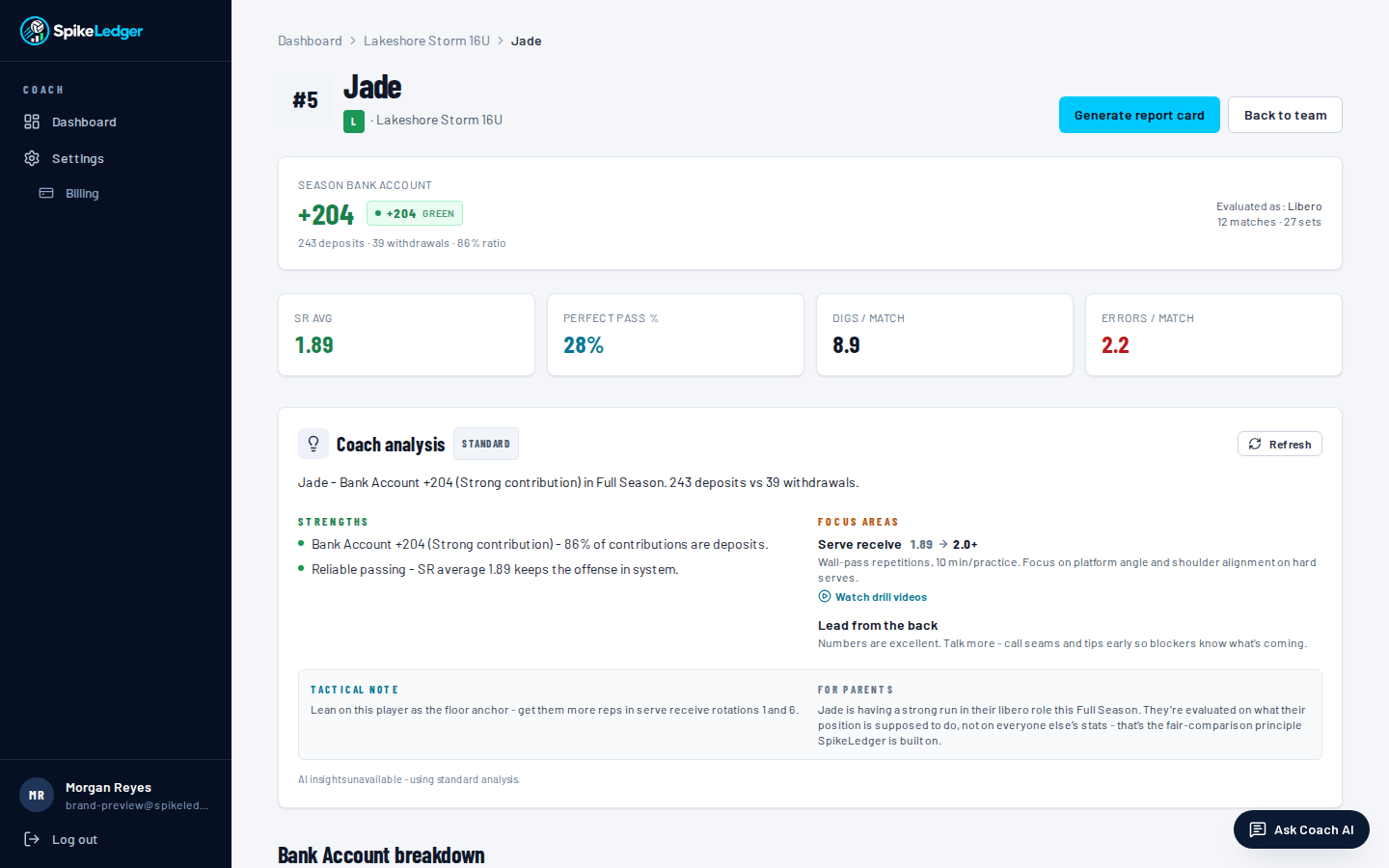
Two taps per rally. One hand. Gym Wi-Fi optional.
The courtside page is the whole reason this exists. If it is slower than a clipboard, nobody uses it, so it is not.
Big targets, built for thumbs
Player tiles sit in real court formation, and the action pad is sized so you can hit it without looking down for long.
Serve, rotation and libero track themselves
Every point moves the serve and the rotation by the rules. The libero goes in and out without a tap. Show rotation puts the court on screen, large, for a timeout.
Undo anything
Fast rallies mean fat fingers. Undo takes back the last action completely: the stat, the point, the serve, the rotation and the libero swap.
Offline first
Stats save to the phone the instant you tap and are sent when the signal comes back. Nothing is lost when the gym Wi-Fi dies.
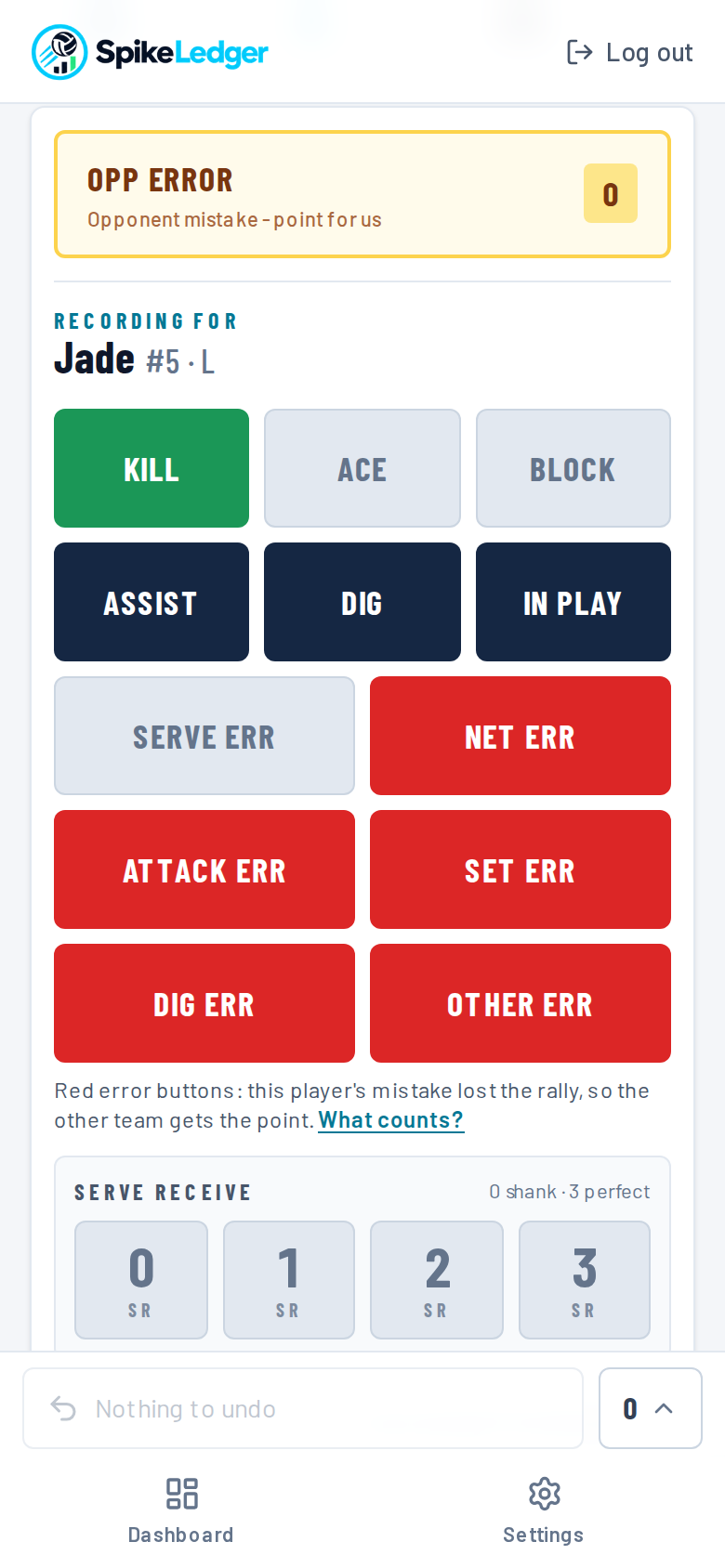

On your home screen. No app store.
Add SpikeLedger to your home screen and it opens like any other app, full screen and one tap away. The courtside page keeps recording when the gym Wi-Fi drops, and parents who install it can turn on an alert for the moment a match starts.
iPhone and iPad
Open SpikeLedger in Safari, tap Share, then Add to Home Screen.
Android
Open it in Chrome, tap the menu, then Install app.
Laptop
Click the install icon at the right end of the address bar.


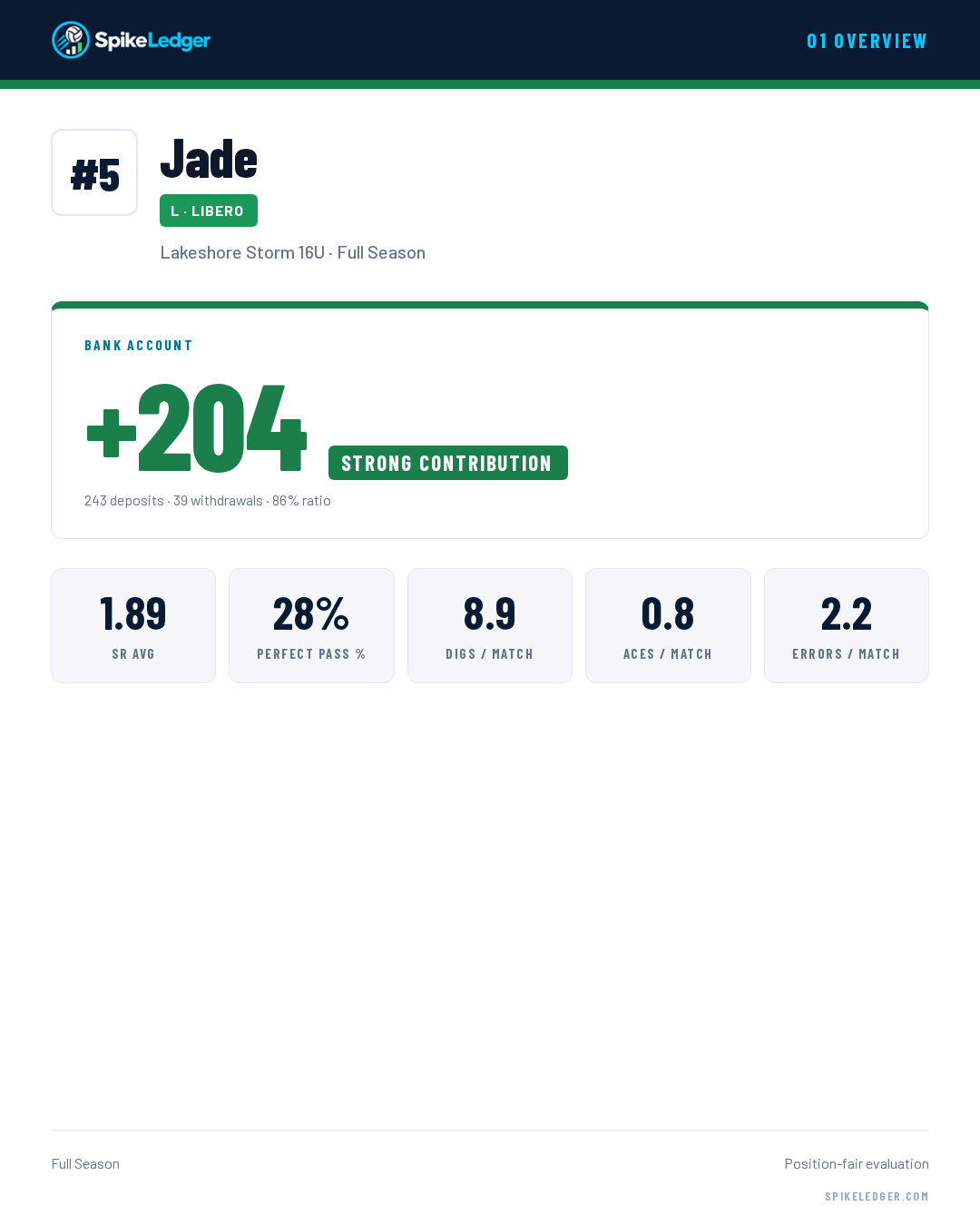
Six images per player. Sized for a phone. Ready for the team chat.
Parents don't read paragraphs on a Sunday night. They look at a picture. Each player gets six 1080 by 1350 cards, the size chat apps show full-screen without cropping.
- 01Performance OverviewBank Account rating and the headline stats.
- 02Your NumbersThe full stat line, laid out so a parent can read it.
- 03What To Work OnThree focus areas with a drill for each, position-aware.
- 04Bank AccountDeposits and withdrawals, and where each came from.
- 05BreakdownThe mix of actions behind the balance.
- 06Team ComparisonRank inside the position group. Optional to share.
Ask it what you'd ask your assistant coach.
It reads your team's stat lines, knows the Bank Account rules, and answers in plain volleyball. Position-aware, so it never tells a libero to work on hitting.
The chat assistant belongs to the paid plans, which are not on sale yet. Every team and player page already has a written coach analysis built from your numbers.
Who should start at libero this weekend, Jade or Sam?
Jade. Over the last two tournaments Jade is passing 2.31 to Sam's 2.02 and has no passes rated 0 in 41 attempts. Sam's serving is the better of the two (4 aces, 1 error), so if you are short on servers, put Sam in at position 1 and let Jade take the rest of the rotation.
Based on 8 matches · Bank Account: Jade +14, Sam +9

Built by a club coach who got tired of grading liberos on kills.
It is shaped by what a tournament Saturday is actually like: two minutes between sets, a phone in one hand, and a parent asking how their kid did before the ball cart is packed.
Fast enough for the scorer's table
Two taps per rally, and it keeps recording when the gym Wi-Fi drops.
Fair to every position
Liberos graded as liberos, setters as setters, hitters as hitters.
Straight with parents
Each parent sees their own kid next to team averages. Never a ranking of other kids.
Free for one team
The full Bank Account, courtside entry and report cards, no credit card.
Coaching a team and missing something? Tell us what your team needs. Ideas from working coaches shape what gets built next.
You coach. Someone else taps. Parents follow along.
Recording a match should not cost you the match. Hand the scoring to someone you trust, keep the numbers in front of you, and let families see how their own child is doing.
Parents follow live
Give a parent a code for their child. They see the score and their own child's numbers during the match, and never another player's.
A stat keeper by QR code
An assistant scans a code, types a first name and scores the match. No account, and no sharing your password.
One scorer at a time
Only one phone scores a match. The coach can take over at any moment, and a scorer can hand back.
The coach's bench view
While someone else scores, see every player's numbers for this set and this match, live, for substitution decisions.
Free for one team, with no time limit.
The free plan is the real product: the full scoring screen, the Bank Account, stat keepers, the live parent view and report cards. Plans for coaches with more than one team, and for clubs, are built and are not on sale yet.
One team, with no time limit and no credit card.
- One team and three tournaments
- The full scoring screen, with automatic serve, rotation and libero
- The position-fair Bank Account and no-positions mode
- Stat keepers by QR code, and the coach's bench view
- Parent codes and the live parent view
- Report cards for your players
- Delete and restore for matches, tournaments and teams
These are built. Paid plans that include them will open later. There is nothing to buy today.
- More than one team, and more than three tournaments per team
- Public share links for report cards
- Importing past stats from a spreadsheet file
- An AI coaching assistant you can ask questions about your own team's numbers, and AI-written coaching notes
- Club accounts, where one subscription covers up to 15 coaches and the club owner can view every team
Coaching more than one team, or running a club? Write to support@spikeledger.com and say what you need.
Things coaches ask before they sign up
Is SpikeLedger free?
Yes. The free plan is the real product, not a trial: one team, three tournaments, the full scoring screen, the Bank Account, stat keepers, the bench view, parent codes, the live parent view and report cards. There is no credit card and no time limit. Paid plans for coaches with more than one team, and for clubs, are built and are not on sale yet. Nothing on this site asks you to pay.
What do I need to start?
A phone and its browser. There is nothing to install from an app store. Create a free coach account, add your players, create a tournament and a match, and tap Start match. You can add SpikeLedger to your home screen so it opens full screen like any other app. It also works on a tablet or a laptop.
Does it work when the gym Wi-Fi drops?
Yes, for recording. Every tap is saved on the phone first and then sent. If the signal drops in the middle of a match the app keeps recording, shows how many taps are waiting, and sends them in order when the signal comes back. Open the match while you have a connection. Parents following live, and a coach on the bench view, see updates only once your taps have been sent.
Can parents watch live?
Yes. You give a parent a short code for their child. On a free parent account they see the score and their own child's numbers update during the match, within a second or two of each tap. They see only their own child, with team averages for context. They never see another player's name or numbers, the roster, lineups or playing time totals. You can pause the parent view for the whole team at any time.
Can an assistant keep stats without my password?
Yes. Show a QR code or a short code from the team page. The assistant scans it, types a first name and gets the scoring screen. They need no account and never see your login. The code lasts one day. A stat keeper can score and nothing else: no roster changes, no reports, no settings. You can stop a stat keeper with one tap, and you can take scoring back at any moment.
How does it handle the libero?
Automatically. You mark the libero in the lineup, and a second libero if you have one. The libero goes in when one of the players they replace reaches the back row and comes out before the front row. It is not counted as a substitution. By default the libero plays for your middles, and you can choose other players. A team setting lets the libero serve in leagues that allow it. You can always swap by hand, and Undo reverses an automatic swap along with the point that caused it.
Does it work for 12U teams without positions?
Yes. When you create the team, choose that it does not play set positions. Every player is then graded on the same all-around rules, and nothing about liberos or position groups appears. You can switch the team to positions later.
How are players graded fairly by position?
With the Bank Account. Every action is a deposit or a withdrawal, and what counts depends on the position. A good pass is a deposit for a libero. For an outside hitter only a perfect pass is. Attack errors never count against a libero. Kills, aces, blocks, assists and digs are deposits for everyone, and errors are withdrawals. Each player gets a balance and a rating: Strong contribution, Solid, Building or Focus area. The rating comes from the share of deposits, so a defender is compared with defending and a hitter with hitting.
Is my players' data private?
Yes. A team belongs to the coach who created it. A parent sees only their own child, and only after you give them that child's code. A stat keeper can score and sees nothing else. Report card links, where used, show a first name and jersey number, expire after 30 days and can be switched off. SpikeLedger does not sell data and does not show advertising. Parent pages and report links are hidden from search engines. The privacy policy has the full detail.
Your next tournament is the easiest place to start.
Set up the roster tonight. Tap through one match this weekend. Send the first report cards on the drive home.